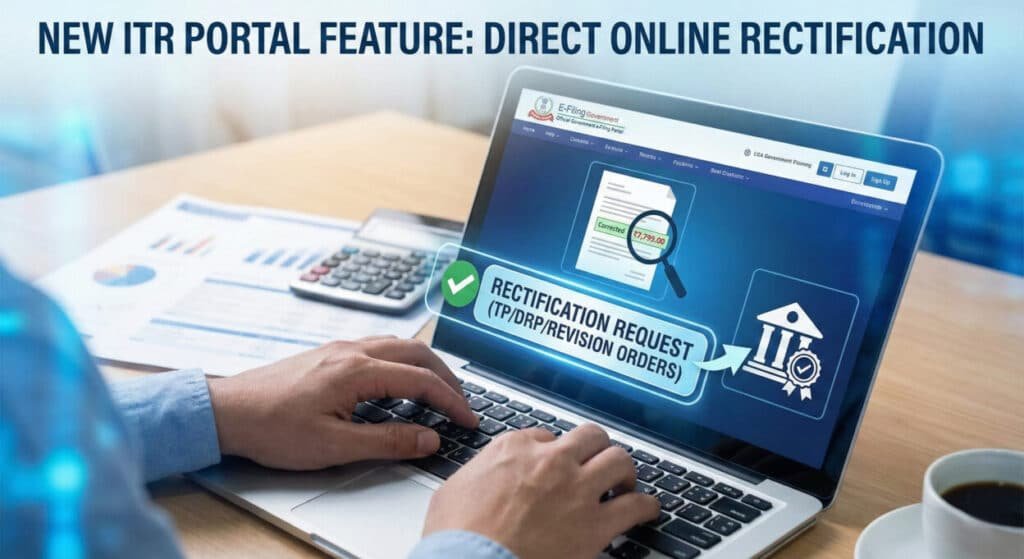
The Income Tax Department has rolled out a new update on the ITR e-filing portal. Taxpayers can now file rectification requests online for certain tax orders, reducing delays, paperwork, and repeated follow-ups with tax officials.
If you’ve ever noticed a small error in your income tax order and dreaded the correction process, there’s some relief. The Income Tax Department has introduced a new feature on the ITR e-filing portal that allows taxpayers to file rectification requests online directly with the concerned authority.
This update is aimed at reducing delays, cutting paperwork, and making tax compliance smoother for individuals and businesses alike.
What’s New on the Income Tax e-Filing Portal?
Earlier, rectifying errors in tax orders wasn’t always straightforward. Even when an order was passed by a specific authority, taxpayers often had to route their rectification requests through the Assessing Officer (AO), leading to unnecessary delays.
With the latest update, the e-filing portal now allows direct online submission of rectification requests to the appropriate authority, eliminating extra steps in the process.
In short:
- No physical submissions
- No repeated follow-ups
- Faster processing
Why This Update Matters to Taxpayers
This change solves a long-standing pain point for many taxpayers.
Quicker Resolution of Errors
Since requests go straight to the authority responsible for the order, correction timelines are expected to improve.
Completely Online Process
The entire rectification process can now be completed digitally through the e-filing portal.
Improved Transparency
Taxpayers can track the status of their rectification requests online, reducing uncertainty and manual follow-ups.
Less Hassle During Assessments
For cases involving technical or high-value assessments, this update removes unnecessary administrative burden.
Which Tax Orders Are Covered Under This Feature?
The new online rectification facility applies to errors related to:
- Transfer Pricing (TP) orders
- Dispute Resolution Panel (DRP) directions
- Revision orders issued under the Income Tax Act
If the mistake is apparent from existing records — such as a calculation or clerical error — it can be corrected using this feature.
How to File a Rectification Request Online
Filing a rectification request on the ITR portal is simple:
- Log in to the Income Tax e-filing portal
- Go to Services → Rectification
- Click on New Rectification Request
- Select the relevant Assessment Year
- Choose the appropriate request type
- Enter details of the error and submit
- Complete verification and save the acknowledgment number
The process takes only a few minutes and requires no paperwork.
Who Can Use This Facility?
You can file a rectification request if:
- You’ve received an income tax order or intimation
- The error is factual or calculation-related
- You are registered on the income tax e-filing portal
Authorized representatives can also submit requests on behalf of taxpayers.
Common Errors That Can Be Rectified
Some typical issues that can be corrected include:
- Incorrect tax calculation
- TDS or advance tax not properly credited
- Clerical or data entry mistakes
- Mismatch of figures already available on record
Rectification cannot be used to revise income or make new claims.
Why This Update Fits India’s Digital Tax Push
The Income Tax Department has been steadily upgrading the e-filing ecosystem. This new rectification feature is another step toward simpler, faster, and more transparent tax administration.
For taxpayers, it means less stress. For the system, it means better efficiency. And for everyone, it means fewer delays in fixing genuine mistakes.
Conclusion
If you’ve been postponing a rectification request because the process felt complicated, this update changes that. With direct online submission and better tracking, correcting errors in tax orders is now quicker and far more convenient.
FAQs
What is the new rectification feature on the ITR e-filing portal?
The Income Tax Department has introduced a feature that allows taxpayers to file rectification requests for specific tax orders directly with the relevant authority online. This eliminates the need to route these requests through the Assessing Officer (AO) or submit them manually.
Which tax orders can be rectified using this new online feature?
This facility is available for the following specific orders:
Transfer Pricing (TP) Orders
Dispute Resolution Panel (DRP) Directions
Revision Orders (passed under Section 263 or Section 264)
How do I access this feature on the portal?
You can access it by following these steps:
Log in to the e-filing portal.
Go to the Services tab.
Select Rectification.
Click on Request to AO seeking rectification.
Select the relevant order type (TP, DRP, or Revision) to proceed.
What kind of mistakes can be corrected with this request?
You can use this facility to correct “apparent mistakes” on record, such as:
Calculation errors
Incorrect interest charges
Figure mismatches
Clerical mistakes
How is this different from the old process?
Previously, rectification requests for these specific orders often had to be filed manually or routed through an Assessing Officer who might not have had the authority to correct them. This caused delays and required multiple follow-ups. The new process allows you to file directly with the Competent Authority empowered to fix the order.
What are the benefits of using this online facility?
Faster Resolution: Direct filing cuts out intermediaries and administrative delays.
Transparency: You can track the status of your application online.
Convenience: It removes the need for physical submissions and manual correspondence.
What is a Revision Order under Section 263 and 264?
Section 263: An order passed by a Principal Commissioner/Commissioner to revise an assessment that is considered erroneous and prejudicial to the Revenue (the Tax Department).
Section 264: An order passed by a Commissioner to grant relief to a taxpayer, often upon their application, revising an order that was prejudicial to them.